Gerrit 3.13 is Here: Top 6 Features Driving Smarter, Faster Code Review

Gerrit Code Review 3.13 has landed, bringing a significant wave of security enhancements, powerful automation, and next-generation AI features designed to streamline your development workflow. This release reflects a healthy, growing open-source project, with a focus on improving both the user experience and the underlying security and configurability of the platform.

Here are the top 6 features and improvements you need to know about in Gerrit 3.13:

  1. Introducing Gerrit Flows for Powerful Automation

Gerrit Flows is a game-changing new concept that introduces automation rules for changes. It is a powerful generalization of the logic previously found in issue tracker plugins (like its-jira), allowing you to define a sequence of actions triggered when specific conditions are met.

This is a pluggable service, meaning that while the core functionality is in Gerrit, community plugins can easily integrate it with systems like Jira, GitHub Issues, or internal tools.

An example could be to add reviewers only after the CI/CD has validated the change, so that the reviewer doesn’t waste time reviewing a change that will ultimately receive a minus one from the build process.

  1. HTTP Auth-Tokens Replace Long-Lived Passwords

In a major security upgrade driven primarily by SAP’s contribution, Gerrit 3.13 deprecates long-lived HTTP passwords in favor of secure, time-limited Authentication Tokens (Auth-Tokens).

This enhancement addresses two long-standing security concerns with previous HTTP passwords:

  • Expiration: Tokens can now be set to expire, allowing organizations to enforce rotation policies that were previously not enforceable when using Git or the Gerrit REST API over HTTPS.
  • Multiple Credentials: Users can have more than one token with friendly names, enabling proper credential rotation (like blue/green deployment) for automated scripts without downtime.

Tokens are a full replacement of the legacy HTTP passwords, as the ability to define their maximum lifetime is often a prerequisite for security compliance. Generating a new token credential would automatically remove the deprecated passwords stored in the account’s profile.

  1. Next-Gen AI Assistance: AI prompt generation for Code Review

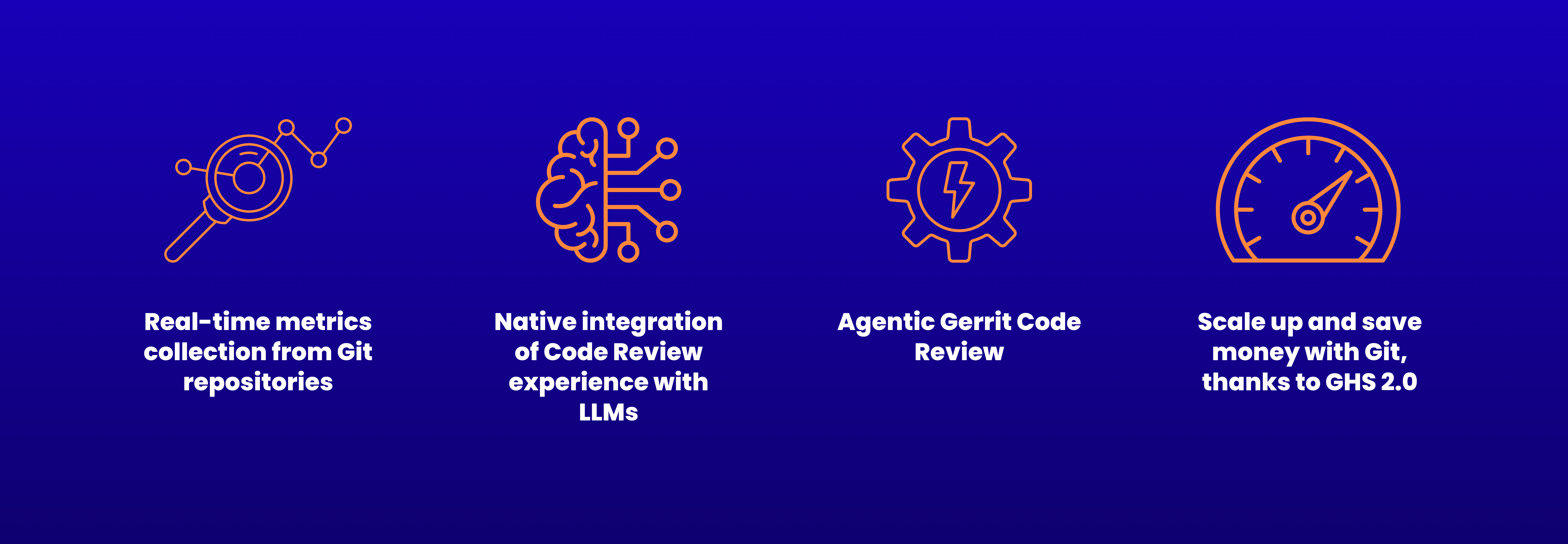
Gerrit 3.13 firmly steps into the era of AI-assisted development by enabling its foundational AI features by default and introducing native facilities to request help to review incoming changes using an external LLM.

AI-Assisted “Generate Prompt” Feature: This feature was previously released as an experiment and is now enabled by default. It helps users generate rich, explicitly crafted prompts for LLMs (such as Gemini, ChatGPT, or Claude) to assist with code reviews. Users can ask for help with the commit message, request improvements, or check for security concerns.

  1. Dedicated UI for Project Labels and Submit Requirements

Configuration and administration are significantly simplified with the introduction of dedicated UI panels for managing Project Labels and Submit Requirements.

Interactive Project Configuration vs. config file editing: Previously, defining these project settings required cloning and editing the project.config file, either offline or online, a process described as difficult and error-prone for most users.

Submittability Split: This reinforces the modern split where Labels are just votes, and Submit Requirements formally define the logic for a change’s submittability.

  1. End-to-End Group Deletion \o/

This was a long-awaited quality-of-life feature: Gerrit 3.13 provides full end-to-end functionality to delete internal groups directly through the UI and a dedicated REST API.

Administrative Control: In the past, groups, once created, were permanent. Now, administrators can remove them.

Prerequisite: A group cannot be deleted if it is referenced in any ACL (access control list). Admins must first reshape their ACLs before removal. The community has acknowledged that the resulting error message needs improvement to show where the group is referenced.

  1. Significant UI/UX Updates, Including Drag-and-Drop

Gerrit continues its modernization effort, focusing on a cleaner, more efficient user experience, thanks largely to contributions from Paladox/Wikimedia.

Drag-and-Drop Reviewers: Users can now drag and drop reviewers and CCed users to move them between fields, eliminating the annoying multi-step process of removing a user from one list and adding them to the other.

Mobile and Material Updates: The release includes extensive modernization, replacing older components with @material/web, and a redesigned mobile UI for improved navigation.

Gerrit 3.13 By The Numbers

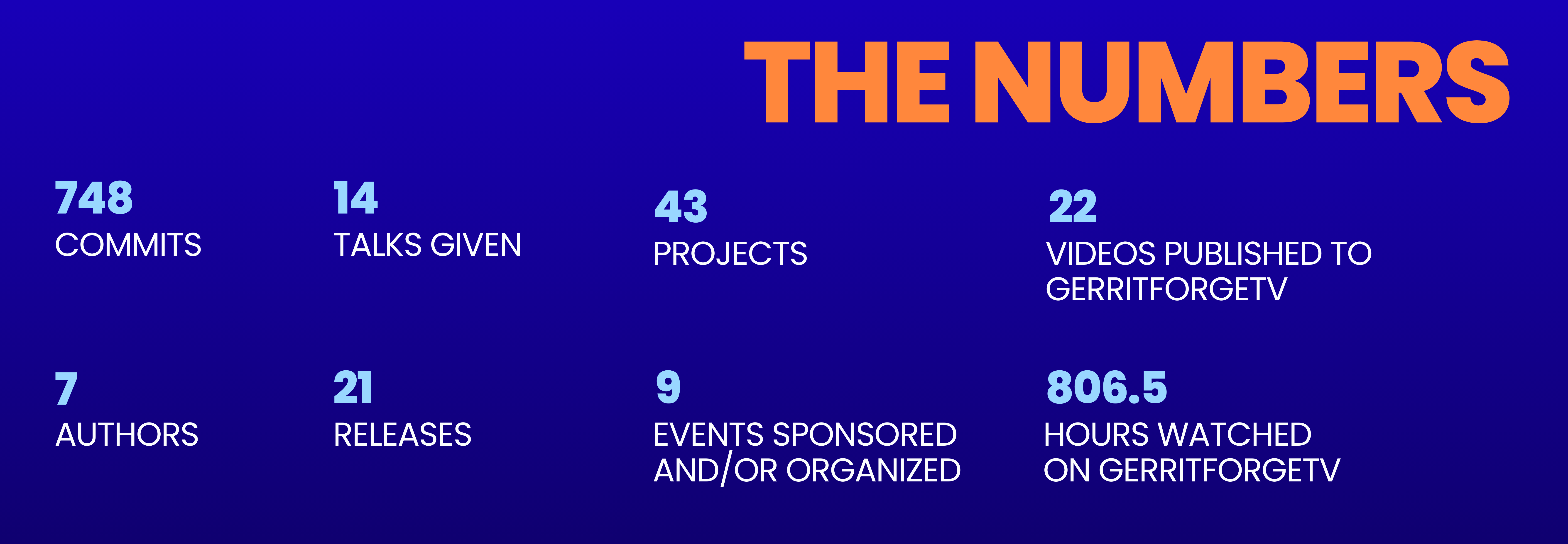
A Community Effort Gerrit 3.13 saw a significant push in core development, reversing the trend of previous releases that focused more heavily on plugins. The number of commits in Core Gerrit went from ~600 in Gerrit 3.12 to over 900 in Gerrit 3.13, showcasing an amazing increase of pace in the development speed of the project, which is great to see.

The open-source health of Gerrit is strong, with no single organization contributing over 50% of the changes. The contributions are spread across many companies, demonstrating the actual value of open source and the good health of the project. Google continues to lead the project from the forefront with almost 40% of commits.

GerritForge’s Contribution

Here at GerritForge, led by maintainer Luca Milanesio, we contributed 28% of the commits to the past 12 months of the Gerrit project contributions!  We also, as usual, performed the crucial work required to take the finished code and turn it into a consumable release for the world, including, but not limited to, managing the whole release process and continuing to host the CI/CD pipelines for the project.

This dedicated effort ensures the smooth, professional delivery of every new version of Gerrit.

Gerrit Code Review: A How-To Guide for new users!

So you think PRs are the only way you can do effective code review? Well, then you’ll be surprised to hear that ain’t the case!

If you’ve read my previous article, you’ll be aware that GitHub or GitLab are great for quick and easy integrations with CI/CD tooling and average for issue tracking/planning, but, in my opinion, miss the mark when it comes to facilitating effective code review.

Today, I want to show you a typical Gerrit workflow and explain why I believe it can greatly improve the quality of your reviews.

Let’s start by reiterating that PRs should be small so as to be easily reviewable, and it’s the creator’s job to make sure they are paired with a meaningful description. But don’t take it from me, you can read it directly on GitHub’s blog.

However, splitting out work into easily reviewable chunks is not easy or intuitive when following a PR-based approach as maintaining dependent PRs is cumbersome and error-prone, so let’s see how Gerrit facilitates this for developers.

Relation chains vs PRs

Let’s say that you’ve started working on a new feature. You realize early on that it’ll be a lot easier to implement if you do some refactoring beforehand. So you go ahead, do the refactoring, commit your work, then add the new feature and commit that too, as a separate commit.
If you’re working with a PR based workflow, before doing the above you’ve probably created a branch and are now about to push it to the remote to then create a PR from the UI, am I right?

Well, if you’re using Gerrit, you don’t need to do that. If your work is supposed to be merged on main, then you can develop directly on that branch, create those 2 commits and push them with git push origin HEAD:refs/for/main, we’ll decompose this command later, but for now let’s look at the effects of it.

As you can see in the screenshot above, Gerrit detects that you’re pushing two separate commits, so it automatically creates 2 new changes, one for each commit, against the branch you’re working on. There was no need to interact with the UI either.

But how did this happen? HEAD:refs/for/<branch-name> tells the Gerrit backend that you’d like to push your current local changes (HEAD) up for review against branch-name Gerrit then does all the magic for you.

Let’s now take a look at the UI:

There’s quite a lot to unpack here, so let’s go in order. First, Gerrit created a Relation chain for us, that includes both commits.
Then, in the commit message, we notice something maybe unexpected, a Change-Id. This is Gerrit’s way of tracking updates to a change. From now on, every time we push a new commit with the same Change-Id, Gerrit will understand it belongs to this change and update it accordingly. You could completely change the commit message, but, as long as you leave the Change-Id unchanged, Gerrit will understand where it belongs.

So let’s try doing that.

How to update changes

The main difference from what most people are used to here is that when you want to update a change, you don’t push a new commit; rather, you amend the existing one

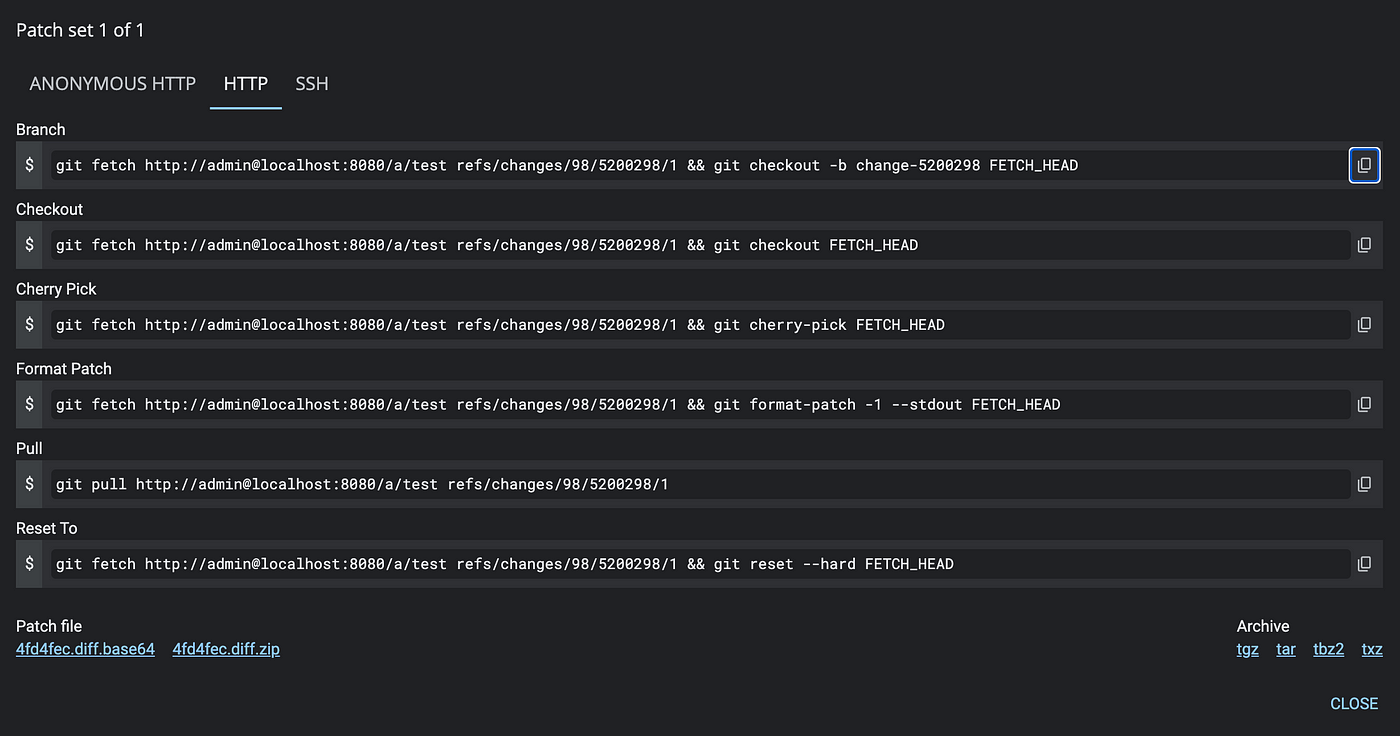
First I need to checkout the change, I can do that by clicking on the DOWNLOAD button(highlighted in the image above), which will show this modal window

This gives me a few options for checking out said change without having to Google how to check out a specific ref or how to cherry-pick each time. So, I copy-paste the “Checkout” option and then run the following on my terminal.

You can see here that I’m not creating a new commit, but rather amending the same one.

Gerrit warns me now that I’ve not amended any files but only the commit message, no problems there, just a handy reminder.

As I’ve not changed the Change-Id, we can see that the change number is still the same. The UI now looks like this:

A few things to notice here. First, I’ve updated the commit message to add a description, great, but surely I wouldn’t want to lose track of the initial state of the change? Can I still see the previous version of this commit? YES!

When you amend your commit, you’re not losing the history of what was there before, you’re merely adding a new patchset to the change. Patchsets are what Gerrit calls each iteration of the commit.

You can also see how the next commit in the relation chain is now marked as an “Indirect relation.” This is because it is not based anymore on the latest version of its parent commit, which as just been updated, so let’s go ahead and fix it. First, we’ll need to select the commit we want to update and then click on the handy “Rebase” button, which will show the following modal

As this is a straightforward case, we’ll confirm the rebase on the parent change.

We can now see that the indirect relation message has disappeared. But how did Gerrit keep track of that? By creating a new patchset which tracks the updated version of the parent commit! Pretty neat, huh?

This leads us to our next topic:

Meaningful commit messages by design

Another problem I see with the PR workflow, or at least how it’s been implemented by the most popular tools today, is that it essentially leaves it up to each individual developer to commit meaningful messages. Whatever merge strategy you pick, neither of them allows for the commit message to be reviewed before it gets merged.

In Gerrit there is no PR description, the commit message IS the “PR description”. Further more, the commit message appears as file in its own right and users can comment on it. This allows reviewers to actually add comments on the message itself to ensure it’s up to scratch with whatever the company standards are.

Submitting the change

Finally, once the comment has been addressed and the change approved, we can click on Submit including parents, and both changes will be merged to the main.

As can be seen by running git log , which will look like this:

Conclusion

The one thing I’d like readers to take away from this article is that no, PRs are not the only way forward and there are solutions to the old problem of wanting to split up code reviews in more manageable chunks.

So let’s quickly review how Gerrit works:
You create changes by pushing commits using the “magic” command refs/for/<bran-name> .
When you want to update a change, you don’t push a new commit; rather, you amend the existing one. Gerrit keeps track of each update in the form of patchsets so you can see how each commit evolved over time.

You can then chain commits as you wish, allowing you to split your work in easily reviewable units.

Finally, commit messages are treated as first class citizens, they’re like any other file in the change, they can be reviewed and commented on, ensuring that no un-helpful commits are merged to the target branch.

Gerrit ACLs: The most powerful of any Git server yet?


(TL;DR) Gerrit Code Review offers extensive configuration options that allow organizations to finely control access rights while ensuring auditability through versioned changes in Git. It supports hierarchical project inheritance, enabling structured, scalable permission management. This allows companies to define base rules centrally, which child projects can inherit and customize.

Its key features include granular Access Control Lists (ACLs), where permissions can be set at various levels, even down to individual refs (branches). Submit Requirements provide highly customizable rules for determining whether a change is mergeable, while ref-specific permissions allow precise access policies for different branches. Auditability is a significant advantage, as all permission changes are tracked as Git commits, making compliance easy in regulated environments.

Gerrit’s flexibility makes it a top choice for enterprises in security-sensitive and highly regulated industries.


One thing you notice immediately when you start working with/managing Gerrit is the incredible amount of configuration options that allow you to really tailor the installation to your needs.

This theme pervades all of Gerrit, and the Access Control List (ACL) setup is no exception. Gerrit allows organizations to be extremely fine-grained when granting users access to the code base.

Not only you have an unparalleled level of control over your access rights set-up, but it is also as auditable as it gets, as each and every change done to the system is automatically versioned via Git .

This is one of the major reasons why big organizations, or organizations in highly regulated fields, find so much success with Gerrit, other tools simply don’t provide the flexibility and auditability that Gerrit does.

In a world that is becoming increasingly regulated, it is essential to easily comply with auditors’ requirements, and no tool does this quite as well as Gerrit.

So, what’s the fuss all about?

Well, let’s go in order. Firstly, you should know that Gerrit allows you to have a hierarchy of projects. By default, when you create a new setup, there will always be two projects: All-Users and All-Projects. To briefly sum up the former, it will contain all the information related to the users of the system. Each new user creation or modification will be tracked in this Git repository, making it extremely auditable.

However, it’s All-Projectswhere all the fun happens. You can look at All-Projects as the father of all other repositories you’ll create, as, by default, all new repositories inherit their access rights from this one.

ACL Project Inheritance

Yes, you read that right, access rights can be inherited across repositories. This is extremely powerful as it allows you to have “hollow” projects that are nothing more than organizational templates for security or compliance structures that then each project can extend.

For example, say that your organization is split in two, loosly coupled, main divisions. They might want to share very basic rules, i.e. all changes need to be tested before merging, but other than that, they are very much independent and have separate audit requirements or security concerns.

With Gerrit, they can define the basic rules in All-Projects and then have “hollow” child projects that inherit these rules and further customize them.

For example, let’s create two repositories, one per area of the company, they’ll be called SuperSecretProjects and PublicProjects. These projects might never have any code committed to them; they are “just” a shell for different ACLs to reflect how that part of the company works. Each new project can then inherit from them and will have the correct access rights setup without the need to do anything else.

Long gone are the days of one of your teams getting the set-up wrong and wreaking havoc further down the line or auditors having to bother teams individually to get access to their set-up. This can all be managed centrally, while still allowing teams to do the customizations they require.

But how fine-grained are we talking?

Well, let’s examine how to configure new ACLs and the options you have.

This is what a classic Gerrit project access page looks like. You can see that this project, as every project by default, inherits its rights from All-Projects. However, you can then extend its permissions as required. In this case, we’re specifying that Java Developer and Bazel Expertcan express deep dislike towards a change (-2) or a moderate approval (+1) by providing a vote on the Code-Review label, however only the principal engineer will be able to vote with the full range of votes applicable for this label.

Further more, we restrict read access to super-secret-branch to just the principal engineer. This essentially restricts who can view this secret branch, to the point that if any other user will try to git clone this repository, it will not clone this branch(or branches related to this name space). This is an incredibly powerful feature that, as far as I know, is unique to Gerrit.

You’ll notice that I’m keeping a very generic language, others might refer to being able to vote with Code-Review +2 on a change as “being able to approve it”, however, this is not strictly true, it all depends on how we define the submittability(aka whether a change is mergeable or not) of the change for the project in question. To explain this further, I’ll need to take you on a small detour.

Submit Requirements

You’ve guessed it, even the definition of what makes a change good enough to be submitted is extremely configurable thanks to a concept called Submit Requirements. These can be defined in All-Projects or at lower levels in your project hierarchy if you wish to do so. Interestingly, you can also specify which submit requirements can can be altered by each team and which ones need to be enforced company wide.

Submit requirements are a way of decoupling the defintion of submittability of a change from the labels that users can vote on. Labels alone have a purely informational role, but couple them with submit requirements and you get an extremely flexible framework customizable to any requirement.

These Submit Requirements are defined in project.config and read something like so:

[submit-requirement "Code-Review-Required"]
description = At least one maximum vote for label 'Code-Review' is required
applicableIf = -branch:refs/meta/config
submittableIf = label:Code-Review=MAX,user=non_uploader AND -label:Code-Review=MIN
overridableIf = uploader:MyTrustedUser
canOverrideInChildProjects = true

This is quite intuitive language, but let’s briefly go over it:

Looking at the submittableIf part of the definition, we can see how this will ensure that changes will only become submittable only if there is at least one vote for the label Code-Review with the highest scored configured for that label that doesn’t come from the user that uploaded the change initially. There should also be no vote with the minimum value by anyone.

However, this requirement can be overriden if, for example, I have a specific user, like an AIBot or a Ci/Cd system, that I’m happy to always trust.

Finally, if there are specific branches that I’d like to exclude, I can do that too by setting the applicableIf clause.

This is just an example. The real strength here is that in either of the applicableIf, submittableIf , and overridableIf clauses, you can use any of the expression operators available for searching changes and more.

Overrall, an incredibly powerful tool if you ask me.

But enough of this now, what about specifying different permission, like push/pull or deletion of branches?

Ref specific permissions

Everything we do in Gerrit applies to a ref namespace.

If you don’t know what a ref is you can think of it somewhat like a branch. Branches, strictly speaking, are refs that are under the namespace refs/heads , so, for example, what you refer too as master really is stored in refs/heads/master .

Hopefully, this helps you understand the image above. When we refer to Reference: refs/* , we’re telling Gerrit to apply the following permission to every ref in the repository.

Let that sink in, Gerrit allows you specify different permissions for each ref in your repository.

Say for example that you want to provide developers with their own sandbox branch where they can go off and test whatever they want. You could provide everyone the create permission in the refs/sandbox namespace and off you go! You could then change your submit requirements so that they aren’t applicable if the target branch starts with refs/sandbox, effectively providing each developer with their own environment to test anything they want.

But what permissions can I set on these refs?

That’s a great question. Really there’s very little limit to the workflows you can achieve with Gerrit. For instance, you can add whatever labels you want, and configure whatever values with whatever description you want.

For instance, say we want to add a Verified label, we’d edit the necessary project.config like so:

[label "Verified"]
function = NoBlock
defaultValue = 0
value = -1 Fails
value = 0 No score
value = +1 Verified
copyCondition = changekind:NO_CHANGE OR changekind:NO_CODE_CHANGE

You can then grant users, or groups, specific permissions on specific branches, like below, where I’m allowing the Administrators group to vote with either -1 and +1 on all refs/heads branched.

Effectively giving you all the flexibility you could possibly want.

Gerrit, out of the box, allows you to assign permissions like

  • Delete changes
  • Push (force or not)
  • Submit
  • And many, many more…

You can find a complete list [here](https://gerrit-review.googlesource.com/Documentation/access-control.html)

But what about auditability?

That’s the most beautiful part of it all: Gerrit is not only extremely flexible, any changes you make to its permission model are “just” code changes, which can be reviewed like any other change and are even versioned like any other code change in a Git repository.
If we scroll to the top of the access page, we see the History: browse link

This will bring you to your default code browser where you can see the git log of the All-Projects repo

We can see how the configuration of a new label and providing users with the capability to use it have been recorded with 2 separate commits. Each one of these commits would have been reviewed prior to being merged, that too with configurable ACLs. Which also means that the diff can be easily inspected to easily understand what each changed entailed.

This is unlike any tool I know of and it’s incredibily useful when it comes to analysing what the state of the permissions was when a change was merged if investigating it months if not years after the fact and ensuring that all requirements at the time where met.

To recap

Gerrit gives you best-in-class auditability and workflow customization capabilities that provide unparalleled power to fine-tune approval workflows to your company’s needs.

The hierarchical inheritance model is a game-changer when it comes to enabling teams to move quickly while still ensuring all crucial business rules are always enforced.

It’s these capabilities that make Gerrit the ideal choice for enterprises in highly regulated industries, where security, governance and scalability are crucial for success.


Daniele Sassoli
GerritForge Inc. – Engineering Manager
Gerrit Code Review Community Manager
Gerrit Code Review Contributor

GHS Worldwide Roadshow

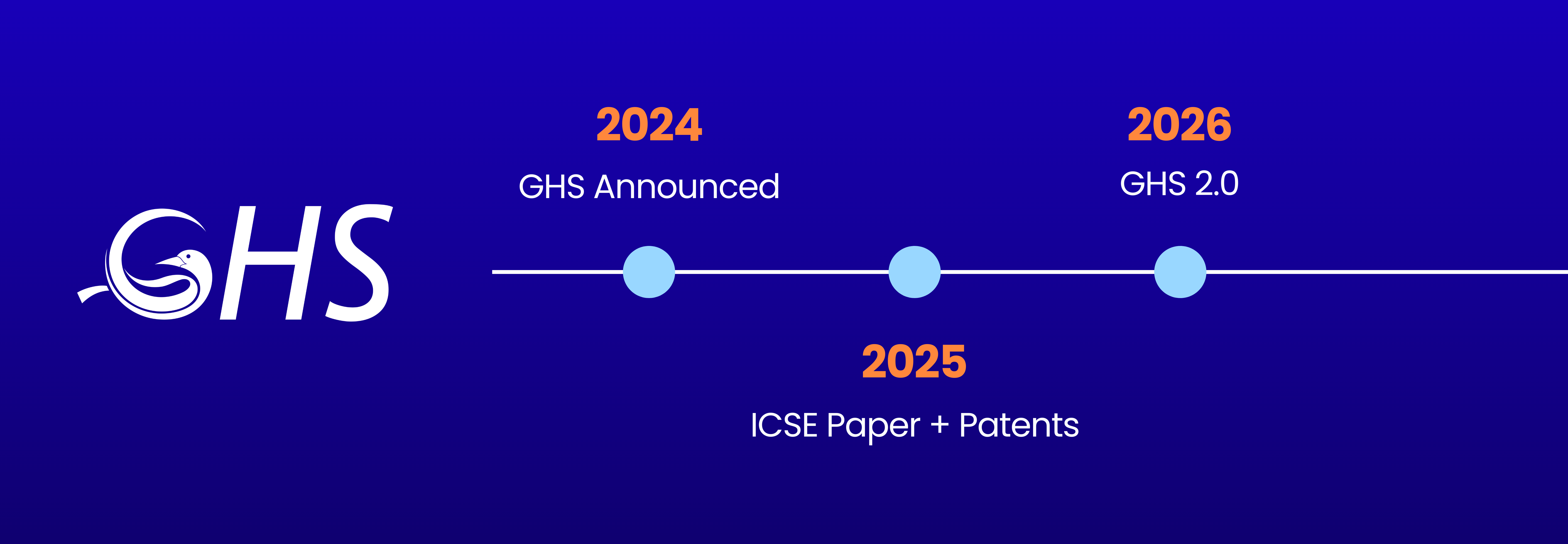
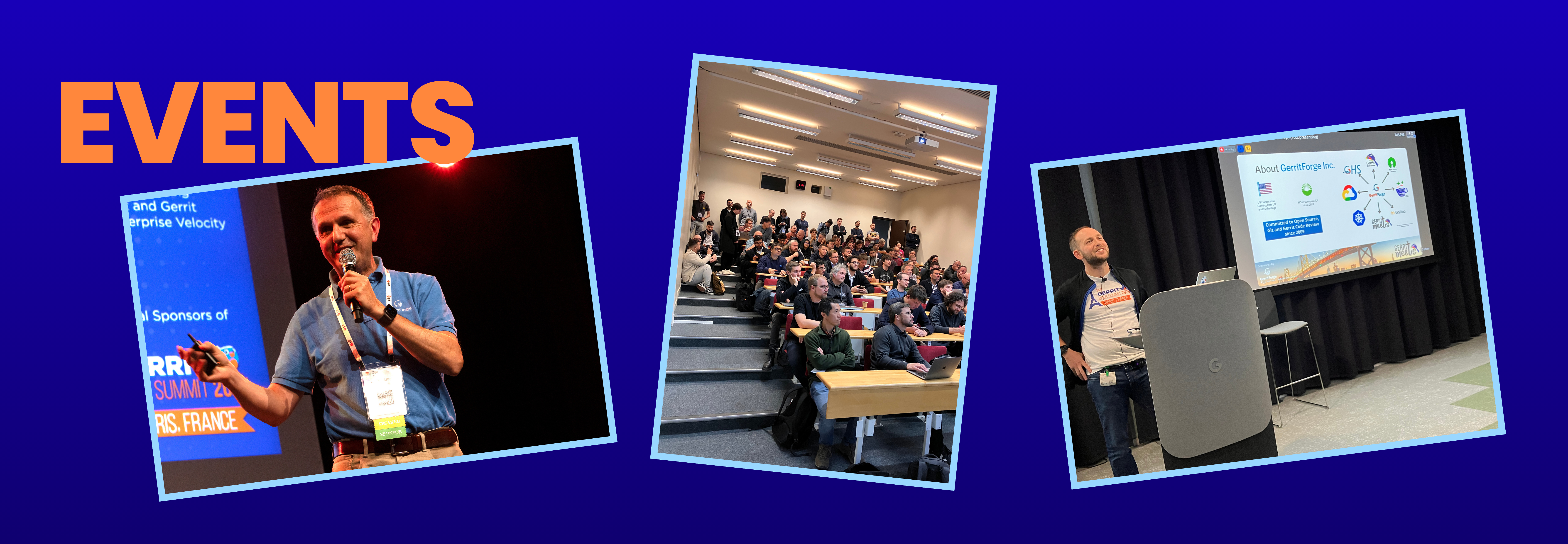
We’re thrilled to announce that our team will be speaking about our advancements with GerritForge AI Health Service (GHS) at several prestigious conferences in the coming months. These events provide an incredible opportunity to share our innovative AI solutions with a broader audience, engage with industry experts, and showcase how GHS is revolutionizing the way organizations maintain the health and stability of their Gerrit and Git systems.

Our journey begins at the Linux Open Source Summit in Vienna, from the 16th to the 18th of September. This summit is a cornerstone event for the open-source community, and we couldn’t be more excited to discuss how GHS leverages AI to ensure the seamless performance of Git and Gerrit systems, even in the most demanding environments.

Next, we’ll be in Berlin for Git Merge on the 19th and 20th of September. Git Merge is the go-to event for Git enthusiasts and professionals alike, and we’re eager to dive deep into the technical aspects of GHS, sharing insights on how our AI solution optimizes system performance, reduces downtime, and empowers development teams to focus on what they do best—creating great software.

In October, we’re particularly excited about the Gerrit User Summit in San Diego, on the 10th and 11th. This event is especially important to us as it brings together the Gerrit community to discuss the latest developments and best practices. We’ll be showcasing how GHS is enhancing Gerrit environments by providing intelligent and automated health monitoring and ensuring peak performance.

Following that, we’ll speak at the OCX conference in Mainz, from the 22nd to the 24th of October. OCX is known for bringing together top minds in DevOps and open-source technology, making it the perfect venue to highlight how GHS is transforming the management of code review and source control systems with intelligent, automated health monitoring and remediation.

Finally, we’re thrilled to wrap up our conference tour at KubeCon in Salt Lake City, from the 12th to the 15th of November. As one of the most anticipated events in the cloud-native ecosystem, KubeCon offers an unparalleled platform to demonstrate how GHS integrates with Kubernetes environments, ensuring that your SCM systems are always running at peak performance.

These conferences represent more than just speaking engagements for us—they are an opportunity to engage with the community, learn from our peers, and continue pushing the boundaries of what’s possible with AI in software development. We can’t wait to connect with you at these events and share how GHS can make a tangible difference in your organization’s success.

Stay tuned for more updates as we approach these dates, and be sure to catch our sessions if you’re attending any of these events!

Daniele Sassoli
GerritForge Engineering Manager
Gerrit Code Review Community Manager and Contributor