 Sometimes people think about Murphy’s Law … it’s Friday I know … but sometimes GitHub communication of what’s happening at our repos could be more explicit 🙂
Hopefully it GitHub will be back sooner or later, as usual 😉

Sometimes people think about Murphy’s Law … it’s Friday I know … but sometimes GitHub communication of what’s happening at our repos could be more explicit 🙂
Hopefully it GitHub will be back sooner or later, as usual 😉
GitHub has recently changed his API default permissions and has caused big problems and outages to Jenkins or Gerrit instance configured for with OAuth 2.0 authentication.
GerritHub.io unfortunately has been impacted and this has caused two outages today:
The second outage was more serious as the GitHub API problems happened exactly at peak hours for European customers.
We have added the extra “read:org” Scope permissions to the default public access to GerritHub.io in order to prevent the GitHub API from failing. This change requires you to logout and login back to GerritHub.io to approve the extra permission flag.
IMPORTANT NOTE: Previous authenticated sessions are not valid anymore (batch users for Jenkins Jobs) for reading your GitHub organisation ownership and, as a consequence, your Gerrit permissions cannot be fully evaluated. You need to login on behalf of the batch users to GerritHub.io and accept the new GitHub permissions in order to get the new valid OAuth token.
The system is back up-and-running but is slower than usual, due to the extra throttling applied by GitHub cause by the error overload. As people will start logging in again and approving the new permissions, the error rate should drop and the situation will come back to normal.
In case of any further issues, please contact GerritForge Support:
www.gerritforge.com/support
[EDIT: 17:53 BST]
We have been monitoring the situation during the day but the performance of the system was not recovering as quickly as we wanted. The problem was related to the batch users that were still running in background using OAuth tokens not authorised anymore to perform their actions.
One user from RedHat pointed out:
“You can see it triggered job and the Build results is SUCCESS. But there is no votes or verified status.”
This was caused by the batch user (configured in this case on Jenkins) was still authenticated through its old OAuth token but not authorised anymore to provide the “Verified” status. Batch users are typically not using the GUI and so have not a lot of chances of getting a renewed OAuth token with the correct permissions.
Current situation: workaround in place.
The OAuth Scope problem was only impacting those users associated to a public GitHub plan and thus using the default scopes user:email + public:repo. All the other users associated to a private GitHub plan had already granted access to all private information, including the full list of their public and private organisations.
The workaround in place uses the weakest link of the chain applied to the GitHub’s protection of the user’s organisations memberships:
The latest patch applied later today just apply this principle using the weakest link (page-scraping with anonymous HTTP-GET) as compensation of the failure to overcome the strongest link.
NOTE: The workaround allows to fill-up the Gerrit cache and gradually eliminates the GitHub throttling on the failed API calls. It allows the service to come back much more quickly to the expected normal response times. You are better anyway to authenticate to GerritHub.io interactively in order to get a renewed OAuth token as hopefully the workaround won’t be necessary anymore in the next few days.

Gerrit has finally landed on Docker!
The first official set of Docker images have been uploaded and are available on DockerHub.
Gerrit with its default configuration is now available for CentOS 7 and Ubuntu 15.04
Thanks to the new Gerrit installer project a new set of native distribution means are becoming available: starting from the native packages for Linux to the Docker images published today.
Well, why not? Docker is an amazing technology for packaging an application with its dependencies and activating it in a sandbox virtualised environment. It allows a more effective isolation of an application container and at the same time assures to have a clear separation between the application distribution and its data.
Additionally for those who want to run more than one Gerrit instance at a time, it allows to define specific QoS for the activated docker containers and assign to them an internal IP and ports to be routed in a multi-hosted environment.
Well, it is simpler than you can imagine. Once you’ve installed Docker on your Linux box you just need to execute the following commands:
To download and run Gerrit on CentOS 7:
$ docker pull gerritforge/gerrit-centos7
$ docker run -d -p 8080:8080 -p 29418:29418 \
  gerritforge/gerrit-centos7
To download Gerrit and run Ubuntu 15.04:
$ docker pull gerritforge/gerrit-ubuntu15.04
$ docker run -d -p 8080:8080 -p 29418:29418 \
  gerritforge/gerrit-ubuntu15.04
Gerrit will be started inside a Docker container and will be exposed on ports 8080 and 29418 on the host machine IP.
Gerrit Dockerfiles are available in the gerrit-installer project and can be easily customised and tailored to your needs. A much better idea however would be to generate a new Dockerfile that starts from Dockerhub image and then change your Gerrit configuration files and steps to perform your desired set-up.
Dockerfile sample for Gerrit listening on HTTP port 8090:
FROM gerritforge/gerrit-centos7
MAINTAINER GerritForge

USER gerrit
RUN git config -f /var/gerrit/etc/gerrit.config httpd.listenurl http://*:8090/
EXPOSE 29418 8090

# Start Gerrit
CMD /var/gerrit/bin/gerrit.sh start && tail -f /var/gerrit/logs/error_log
All Docker images published are associated to a specific Gerrit tag representing the version installed on that image. The default is always the latest Gerrit version that in this case is 2.11.
To download and run a Gerrit 2.10.3.1 Docker image on CentOS 7:
$ docker pull gerritforge/gerrit-centos7:2.10.3.1
$ docker run -d -p 8080:8080 -p 29418:29418 \
  gerritforge/gerrit-centos7:2.10.3.1
There are a lot of possible Gerrit configuration settings but the most typical ones are:
All the above settings can be represented by a set of Dockerfiles similar to the one above mentioned: they will all start from a plain Gerrit Docker image (e.g. gerritforge/gerrit-centos7) and follow with the amended settings.
We are planning to enrich the Gerrit installer project with all the above typical scenarios and publish the associated Dockerfiles so that people can “pick&mix” the perfect recipe for a flawless installation.
Have fun with Gerrit and Docker, no more installation tears with Gerrit!

Zero downtime image from http://www.couchbase.com
Yesterday GitHub was down for a DB upgrade, an outage that overall lasted for 23 minutes. This may not sound a problematic downtime at all, but when you think that nowadays GitHub is used not only for Software development worldwide as a Git server but as also as a source and binary packaging repository and distribution centre, a Markdown pages server and possibly much more … and you multiply by the number of users / repos hosted, then 23 minutes may translate in a significant disruption and, for some mission-critical business use-cases, even financial loss.
We never needed planned outages for DB upgrades on Gerrit Code Review used for a lot of other OpenSource projects (ranging from Android to Chromium): how the Gerrit team is managing to outperform GitHub? I asked Shawn Pearce to spend some time to describe how his team at Google managed to implement its roll-out strategy in the delivery pipeline going through tons of major DB upgrades with zero downtime worldwide.
He kindly responded on the Gerrit Code Review mailing list with this post, and we are very thankful for having shared his experience with us, hoping that GitHub guys will read this post and may learn from it for future GitHub DB upgrades.
I am reporting here Shawn’s post AS-IS, in order to maximise the audience and enable more people to access its content.
In light of the recent GitHub database outage, Luca Milanesio asked me to describe how googlesource.com has managed nearly 3 years of database upgrades with zero downtime. So… here is an attempt. 🙂
tl;dr: protobuf, Bigtable, and multi-master.
Long version…
Years ago we settled on using Google Bigtable as the backing database for googlesource.com instead of MySQL or PostgreSQL. This decision actually came about because of virtual hosting (see below), not because Google is any better at running Bigtable than MySQL or PostgreSQL (we run those well too).
Briefly, Bigtable is a NoSQL database that organizes data into tables of column families; read the Bigtable paper for an overview. Rows can contain irregular shapes of columns, and two rows in the same table do not need to have the same layout (columns).
To support Gerrit Code Review I hand-wrote a complete implementation of the ReviewDB interface and all of its sub interfaces to transport data between the application and Bigtable.
Data is stored in ~3 Bigtables:
Accounts: Accounts, AccountDiffPreferences, AccountExternalIds, …
Changes: Changes, PatchSets, PatchLineComments, …
SiteData: AccountGroups, AccountGroupByIds, …
We mash data for multiple ReviewDb tables into the same Bigtable by assigning the tables to different column families. Data for an Accounts row goes into the “Accounts.data” column family, while data for an AccountDiffPreferences row goes into the “AccountDiffPreferences.data” column family. E.g.:
row: 100151 # account_id
Accounts.data:
... data for account object ...

AccountsDiffPreferences.data:
... data for diff pref object ...
Our guiding principal for what goes where is based (mostly) on the primary key declaration. If Account.Id was first in the primary key, the row(s) go into the Accounts Bigtable. If Change.Id was first in the primary key, the row(s) go into the Changes Bigtable. This means the StarredChanges data is stored in the Accounts Bigtable, and PatchLineComments is in the Changes Bigtable.
Everything else that didn’t quite fit the Accounts or Changes pattern went into SiteData. AccountGroups for example are in SiteData.
To be honest, this is all arbitrary. I could have randomly assigned ReviewDb tables to Bigtables. Or put them all in a single Bigtable.
Creating new tables
New table creation is handled by pushing a new column family to Bigtable. This is an online operation that does not require changing any existing data. Internally column families are just unique tags written before the stored data. Adding a column family just assigns a new tag that has not been used yet.
The really important part of our online schema upgrade process is actually Google protobuf.
Bigtable doesn’t store structured data. Bigtable stores sequences of bytes in column families. Googlers get structure by storing encoded protobuf messages in column families. Protobuf encodes messages by writing a unique integer tag before each field. The tag allows readers to match data back up to the runtime object during decoding.
Protobuf gives us very critical features:
– Unknown fields are skipped (and ignored). If a field has been deleted from the model, but still exists in data records, the application code can safely skip over that data by reading the tag, recognizing its an unknown field, skipping its encoded bytes, and continuing onto the next field.
– Unknown fields are preserved. If a field is not recognized its encoded bytes are kept in memory. When the application makes changes to a message and writes the message back to the database table, the unknown fields are preserved and written back as-is.
– Fields can be missing. If a field is not present in the data, it simply has no tag present in the encoded message. The field is assumed to be its default value by the application.
Each database table in ReviewDb is described by its own protobuf message. The @Column() annotations in ReviewDb include the unique field numbers used by protobuf to tag data in encoded messages. You can see this schema by printing the protobuf schema out:
java -jar gerrit.war ProtoGen -o reviewdb.proto ; cat reviewdb.proto
In our Bigtable mapping the Gerrit application server encodes an Account object into a protobuf message, then writes the encoded protobuf to the Accounts.data column family. Reading from the database is merely the reverse process.
Column deletion
Columns can be removed from a table by removing its @Column annotation from the Java object. The field definitions will be omitted from the protobuf description. New application code that reads from the database table will skip over the (now unknown) field. During updates of a row the deleted/unknown field will be preserved and written back to the database table.
It is very important that the field number is never reused.
Nothing prunes the old fields from the Bigtable. Disk storage is cheap, disk IOs are not. Leaving the deleted data on disk is cheaper than scanning through every row and clipping out the deleted fields.
This is why we leave deleted fields commented out in source code, so future developers know not to reuse a field number.
Column addition
Columns can be trivially added to an existing table by assigning a new field number. When newer application code reads an old record it won’t find the new tags and will simply assume the default that is supplied in the protobuf description.
Unfortunately the defaults used in @Column annotations don’t always match with the real intended defaults. We have had to hack this at Google by applying a patch to every version of Gerrit for 2 fields:
- optional bool size_bar_in_change_table = 16;
+ optional bool size_bar_in_change_table = 16 [default = true];
optional bool legacycid_in_change_table = 17;
optional string review_category_strategy = 18;
- optional bool mute_common_path_prefixes = 19;
+ optional bool mute_common_path_prefixes = 19 [default = true];
The open source project chose to apply these defaults using Schema_NNN upgrade files that rewrite all existing accounts to set the fields true during init. We do not have that luxury and instead patch every release we make to assume the “correct” default if the field is not present in the stored data. This is why I lobby so hard against boolean columns being true by default via Schema_NNN upgrades. 🙂
Because of the unknown field properties described earlier, it is (usually) safe to run newer binaries alongside old binaries against the same database. A newer binary may store new fields to a row. The older binary will ignore these, but preserves the unknown field data during updates.
Of course cross-field semantics could be confused if we attempted this. We limit our risk by staying close to HEAD and try really, really hard to avoid cross-field semantic issues (e.g. anything like status and open in changes).
Column rename
We really don’t care about column renames. The column names themselves are not stored in Bigtable or in the encoded protobuf messages. Column names are only in the application software. A column name change is just a recompile, similar to a method name change.
What we cannot do is change field IDs. Once used in an @Column annotation, we are stuck with that ID number forever. 🙂
googlesource.com implements virtual hosting for hundreds of Gerrit sites. All sites are combined together into the same 3 Bigtables by prefixing each row with the site name, for example:
row: gerrit:100151 # $site:$account_id
Accounts.data:
... data for account object ...

AccountsDiffPreferences.data:
... data for diff pref object ...
The application server itself is virtual hosted by running a javax.servlet.Filter in front of Gerrit. The filter extracts the host name from the HTTP Host header and stores it somewhere accessible by the hand-coded ReviewDb implementation. All database operations include the host name as part of the row keys being accessed.
It is this virtual hosting strategy that forced our hand and required such smooth online schema migrations.
When we update the binary, we update the binary for hundreds of “servers” at once. We can’t shutdown everyone for 200 * 5 minutes to upgrade 200 sites at 5 minutes each while we run a Schema_NNN process serially. We also don’t want to use 200 CPUs to update 200 sites in parallel during a global 5 minute downtime window, too much can go wrong, and there will always be straggling sites. Neither option appealed to us.
So smooth online migrations it was. 🙂
We don’t run one Gerrit server. We run many Gerrit servers against the same Bigtables. Requests load-balance across this pool of servers, based on a number of factors that are out of scope for this particular article.
We use this multi-master hosting to help do online binary upgrades of Gerrit.
Given N servers where N >= 3:
1) we take one out of the load balancing rotation
2) wait for in-flight requests to finish
3) stop the process
4) install the new version
5) restart it
6) add it back to the rotation
7) goto 1
We size N such that N is larger than the number we actually need to handle traffic; this allows us to lose a server without impact to traffic to do the upgrade dance.
Linux operating system upgrades can be coordinated the same way, as the servers are on different machines.
Given multi-master hosting, we don’t put all of our servers in the same data center. We run them in multiple data centers and allow the load balancers to route across all of them.
This strategy allows us to perform data center level maintenance without service interruption by taking some servers out of the load balancing rotation before maintenance starts.
Sometimes data center level maintenance is power related; e.g. servers may need to be shutdown to repair a failed UPS. Other times its database related. I recently corrupted a database replica in one data center by accident. I “shutdown” our servers in that data center while I manually restored a known good database. Nobody except my team at Google knew about my mistake, or the impact.
Once you are multi-data center, cross-site database consistency becomes an issue. Frankly we just reuse Google Megastore to get cross data center consistency based on a high quality Paxos implementation. Each of our data centers has a full copy of the database local to it and Paxos is used to ensure the application has a consistent view.
And by this point, you are probably wishing you had stopped at the tl;dr … 🙂
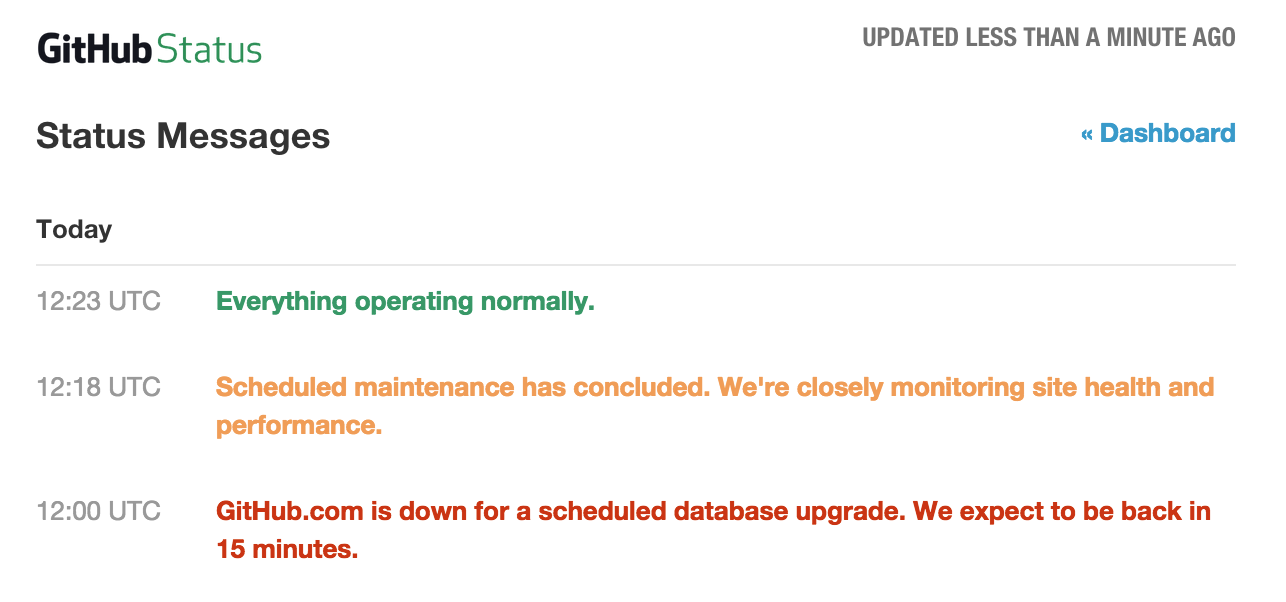
GitHub outage latest for around 23 minutes and now the site has resumed normal stable operations.
GerritHub.io and his users have not been impacted by the GitHub outage, everything went smoothly and the cache TTL extension avoided any negative effects on our systems. Replication to GitHub resumed smoothly without any misalignment caused by the the outage.
Will this be the last GitHub outage? Have they learned how to implement effectively DB roll-outs with Continuous Delivery practices?
It would be very interesting if Shawn Pearce could put together a presentation on how Continuous Delivery is achieved for Gerrit Code Review at Google, avoiding downtime even during DB upgrades and roll-outs. Possibly GitHub could be inspired by us 🙂
 As previously announced, GitHub service outage has officially started.
GerritHub.io is available as usual and sign-in is working, thanks to the an extended cache TTL set to 2 days. If you have signed in over the past two days, your cookie will still be valid and your group ownership / permissions are cached on our systems.
Please remember that some of the other non-cacheable services won’t be available:
You can still use the Gerrit Code Review functionalities as normal, including review Web GUI and git push/pull over SSH or HTTPS.
Once GitHub will be back on-line, we will reschedule an extra maintenance replication to make sure that all Gerrit changes are replicated back to GitHub.
Thank you for your patience and in case of any issue please report to https://gerritforge.com/support.

GitHub announced a scheduled downtime of its API starting from this forthcoming Saturday, 21st of March 2015 from 12PM UTC … I have to say that this is really the first time and I am quite surprised. I have always considered GitHub as one of the best examples of continuous deployment and feedback, allowing the transparent roll-out of dozen of changes every week; however sometimes even “The Rich Also Cry”.
GerritHub.io uses the GitHub API for the following operations:
As all the GitHub API would return 503 (Service Unavailable) the basic Gerrit Code Review functionalities could be eventually impacted.
We will be rolling out longer cache TTL and cookie expiry times on Friday 20th of March on Gerrit Code Review, allowing to keep existing sessions for a much longer time up to 2 days validity. Similarly the Group and Accounts caches TTL will be extended in order to fill the GitHub API blackout.
Whilst we can minimise the impact on Gerrit Code Review which is under our control, we can do little about GitHub availability: the commits pushed to GerritHub.io will be “parked” until GitHub services will be resumed again.
They will still be accessible to your Team but only through the GerritHub.io clone URLs.
GitHub has not notified yet the length of his maintenance window but you will be able to receive notifications on its status on https://status.github.com and we will notify the progress and the impact on our services on https://gitenterprise.me, Twitter @gitenterprise and Facebook on https://facebook.com/gitenterprise.
Once the GitHub services will be back and fully operational, we do suggest to sign-in and verify the replication status of your repositories to GitHub, checking the SHA-1 of your branches on GerritHub.io against the corresponding ones on GitHub.
Example on how check the replication status of myorg/myrepo:
$ git ls-remote https://review.gerrithub.io/myorg/myrepo | \
  egrep -e "(heads|tags)" | awk '{print $2"\t"$1}' | \
  sort > /tmp/myrepo.gerrit
$ git ls-remote https://github.com/myorg/myrepo | \
  egrep -e "(heads|tags)" | awk '{print $2"\t"$1}' | \
  sort > /tmp/myrepo.github
$ diff /tmp/myrepo.gerrit /tmp/myrepo.github
First of all you need to establish which one is the “source of truth”. If you have been using GerritHub.io as main code review, then the answer is always review.gerrithub.io.
In order to resync your GitHub repository, you just need to manually pull from review.gerrithub.io and push to github.com.
Example on how to resync myorg/myrepo:
$ git clone --mirror https://review.gerrithub.io/myorg/myrepo
$ cd myrepo.git
$ git push --all --tags https://github.com/myorg/myrepo
There is not a unique answer to this question: if the push fails it means that your GerritHub.io and GitHub.com repositories started diverging. This happens when people pushes directly to GitHub without going any Code Review, which is potentially possible if you have left the permissions doors wide opened on GitHub.
My suggestion is always to check what is in GitHub that has not gone through Gerrit Code Review and, if possible and does not create conflicts, pull that set of commits into your GerritHub.io repository.
Example of pulling changes from a GitHub branch (e.g. mybranch) that are not contained in GerritHub.io:
$ git clone https://review.gerrithub.io/myorg/myrepo
$ cd myrepo && git checkout mybranch
$ git pull https://github.com/myorg/myrepo mybranch
$ git push origin mybranch
If you have any questions or you need any assistance during the outage because you are experiencing problems, feel free to contact our customer support at https://gerritforge.com/support or tweet us at @gitenterprise.
Alternatively for any Gerrit-related problems, the best free source of information is always the Gerrit mailing list at https://groups.google.com/forum/#!forum/repo-discuss.
Gerrit Code Review has begun the Ver. 2.11 release cycle and the first release candidate been released this morning on Gerrithub.io.
Gerrit is entering for the first time into the field of Cloud based IDE integrating a Browser-based editing functionality into the code review lifecycle. For the very first time you are just a couple of clicks away from a review-edit-submit turnaround: see below the additional icon to access the functionality from the Gerrit change screen.
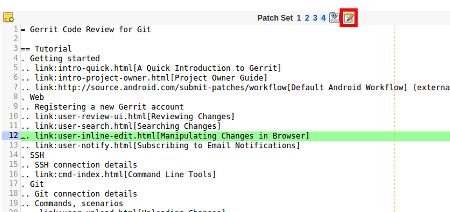
As this is a brand-new functionality with a complete new UX, a new dedicated page has been published to guide through the new functionality.
You can experiment today the in-line edit by creating a new project on GitHub and sign-in to GerritHub.io. The new turnaround is quick and the flow is splendid ! This has been a masterpiece in collective code ownership and review of the Gerrit Team; this feature has been lead by David Ostrovsky after a series of early betas shared and discussed collectively.
A lot of new enhancements are coming, mainly related to the improvements of Gerrit REST-API to support this new feature.
The full list of changes can be accessed at https://gerrit.googlesource.com/gerrit/+/refs/heads/master/ReleaseNotes/ReleaseNotes-2.11.txt.
We foresee a near future where Gerrit becomes the central hub of the code-review and integration workflow, together with a CI engine such as Jenkins. It has recently proposed a new build of Gerrit without a GUI and exposing its review capabilities in headless mode: the presentation logic will then be implemented by the various UX plugins integrated with other IDEs.
Should this scenario materialise as future of Gerrit, we will soon see other UX that will expose the power, flexibility and scalability of Code Review system in a brand-new HTML5 or native experience.
The IntelliJ and Eclipse plugins are already a reality of this, but more will come and I bet they will be more focused on the Cloud IDE use-case.
 We are pleased to announce the general availability of RPM and Debian native distributions for Gerrit Ver. 2.10. They have been packaged from the original Gerrit WAR using the new native installers tools developed and contributed back to the Gerrit community.
Gerrit Code Review has always been released as pure Java executable WAR that has then to be invoked with a target installation directory. This style of packaging has been working fine right now, however many companies use the Linux native software packaging tool to standardise the way they install and update software.
The reasons behind that choice are:
What type of packages are provided?
The following two packaging formats are currently supported:
– RPM packages for RedHat / CentOS Linux distributions
– Deb packages for Ubuntu or other Debian distributions
Gerrit packages are distributed using the native repository distribution system provided by the Linux distribution:
To facilitate the set-up, GerritForge provided an RPM for RedHat / CentOS that will do the job for you:
rpm -i https://gerritforge.com/gerritforge-repo-1-5.noarch.rpm
On Ubuntu 14.x up to 16.x / Debian you need to define the extra source pointing to the GerritForge distribution site:
echo "deb mirror://mirrorlist.gerritforge.com/deb gerrit contrib" > /etc/apt/sources.list.d/gerritforge.list

apt-key adv --keyserver keyserver.ubuntu.com --recv-keys 1871F775
apt-get update
On Ubuntu 18.x or alter you need to define a specific source pointing to the GerritForge distribution site with higher security keys and hashing requirements:
echo "deb mirror://mirrorlist.gerritforge.com/bionic gerrit contrib" > /etc/apt/sources.list.d/gerritforge.list

apt-key adv --keyserver keyserver.ubuntu.com --recv-keys 55787ed781304950
apt-get update
Once the additional distribution repository has been configured, installing Gerrit 2.10 and all future versions will be just one command away and can be completely automated.
The complexity of a native packaging system is all concentrated in the first repository set-up, however it is aligned with any other type of repository additions that System Administrators are very familiar with.
Once the repository set-up phase is finalised, then installing a working version of gerrit is just one command away:
On RedHat / CentOS you simply need to execute:
yum install -y gerrit
On Ubuntu / Debian the command is:
apt-get install gerrit
Additional once configured for production, the configuration files are kept across updates and you can get constantly aligned with the most updated patch-level for your installation.
Gerrit then appears in the list of the installed software alongside with its version number and patch-level.
Gerrit comes out-of-the-box with a “playground-style” configuration, to allow to have a working instance that can be verified without the need of any extra configuration step:
Once installed, the System Administrators will need to go through the Gerrit documentation and configure the authentication, security protocols and DB of choice. All configuration settings will remain local and will be kept across package upgrades.
Gerrit native packaging hosting follows the typical strategy of the native distribution sites: a list of mirrors that will be automatically chosen by the Linux installer based on speed and location.
We currently have two mirrors:
The list of sources can be extended as the native packaging systems allow to define a set of mirrors that are automatically selected based on your location and speed.
If anyone is willing to host a mirror of those native packages, please contact GerritForge or post a message on the Gerrit mailing list and we’ll update the official list of mirrors available.
Gerrit RPM and Deb packages are built using 100% OpenSource tools and scripts published. Just checkout the gerrit-installer project and make the packages again defining your desired version, organisation and distribution URLs.
We are going to publish soon more native packaging formats:
Stay tuned and let us know what do you think.
Dear GerritHub.io users,
thank you for your patience, the service is up and running again.
We are currently working to increase the capacity of the service, based on the increasing audience received. Additionally we are working to increase the security and provide an active failover on multiple geo-localised IPs: once the service will be available you will be notified on GitEnterprise.me and on Twitter @gitenterprise.
GerritForge Support Team
 GerritForge Blog