GitHub outage, again :-( What is the real cost of FREE services?

Screen Shot 2015-05-06 at 12.47.43

As a bitter surprise today, we are experiencing another GitHub outage. This time it seems a more serious problem than the average DDoS: GitHub’s Ops Team is perform an emergency maintenance on the whole site to recover the situation.

How much a FREE GitHub Service outage really costs me?

Everyone loves GitHub because it is nice, easy and most of all … it’s FREE ! Lots of projects started using it for much more than pure source code versioning:

  • People write books and documentation with it (see gitbook.com)
  • Teams started using it as free artifacts repository manager: projects wouldn’t build at all when GitHub is down
  • Companies started hosting web-pages on GitHub (see the nicely rendered microsoft.github.io)
  • GitHub Issue tracking and wikis are so simple that people are using for project collaboration

When everything works, it is amazing how your Team can be productive using GitHub on a daily basis. But when it fails, what can you do? And what if my Team cannot progress because they can’t see the tasks, wikis, requirement documents, web-pages … how much money am I really wasting when people is hanging around for hours?

Let’s consider a small Agile Team composed by a 1 x BA, 8 x Agile Devs, 1 x Scrum Master, 2 x DevOps and 2 x QA: a 30′ minutes outage like the one today would have an impact on 16 people of 1 man/day that means (for the US market) roughly $1,000 (as optimistic guess, it may cost even more). Even if GitHub goes down twice a year (gosh this happened more than twice I am afraid) your start-up will end up paying around $ 2,000 /year for GitHub. The overall amount doesn’t sound that expensive … but you wonder why GitHub “was supposed to be really FREE” if you end up spending money with it.

If we apply the same figures to a medium size company with at least 160 people working on development, your overall figure would jump to $20,000 /year. More importantly the time lost and delays caused on the project schedule may then have an avalanche effect on other teams and maybe causing additional  pain and costs across your organisation and programme plan. Those extra costs can be sometimes difficult to quantify but for sure are much more relevant on your overall business.

Shall we give up using GitHub then? Or shall we move to GitHub:Enterprise instead?

The typical reaction to a GitHub outage is: “we cannot rely on the FREE version, we should buy GitHub:Enterprise which will run inside our company network” and use this argument with your manager to get a Purchase Order finalised NOW (I may be too malicious … but a outage may actually generate more money to GitHub than loss of reputation). When you look at the GitHub:Enterprise pricing it ends up that for your 160 people you would need to spend only $36,000 /year which seems on the same order of magnitude of your $20,000 wasted money without considering the extra hidden costs of project delays.

But are you really solving the problem? GitHub and GitHub:Enterprise are the same product, same code-base, just different pricing. What makes you wonder that your internal Ops Team can do a better job than GitHub? What makes you wonder that a GitHub bug would not appear on your GitHub:Enterprise set-up? Are you just an optimistic person?

Moving to GitHub:Enterprise is typicall needed when you have compliance / security requirements on data at-rest, but is not really addressing the problem of reliability and would potentially expose your Team to even further outages for software upgrade and management that typically you don’t have using GitHub alone. You are then spending $36,000 on top of your $20,000 (or even more) wasted previously without having real benefits.

Learning how to fly with GitHub

How to solve the problem then? Can we learn from somebody’s else experience?

Airplanes have exactly (if not even more demanding) requirements on their engines as we on a Version Control System. For an aircraft the cruising speed is everything, without that speed provided by its engines he cannot fly; we have similar requirements in our Development Team where GitHub is really what we need for progressing our development otherwise we are blocked.

The solution to the problem for an airplane to be reliable is not buying more expensive engines (which are not necessarily more reliable) but instead using two engines instead of one. Can we apply the same to GitHub? GitHub is in a nutshell a Git Server, why not relying on redundancy and replication? Can I set-up a replica of GitHub and use it for my reviews?

You can of course build your own replica using plain Git and GitHub WebHooks: it would require a bit of scripting but it can be done. During an outage you can use the replica and when GitHub is back all the pending changes can be pushed back to GitHub.

Can I have another FREE and automated replica of GitHub?

This is becoming challenging now: we want something that is completely FREE (no time spent in writing scripts, webhooks, no service provider to pay, no commercial product) but that allows us to use GitHub replicated, including Code Reviews.

It seems strange but what we are looking for actually exists and it is an OpenSource project called Gerrit Code Review. It is not only a Code Review and Git Server like GitHub but offers as well more advanced security and replication capabilities. It has been designed taking into account the needs of large distributed Teams and making their daily development lifecycle more reliable independently from local failures.

Cool, how can I get started with Gerrit and GitHub now with no hassles?

You read this quick introduction for getting started in setting up your private replica or, you are really in a hurry and you wanted a FREE hosted service, you can sign-up with 3 clicks to GerritHub.io.

I have only 5 mins of free time today: what can I read/watch to understand how it works?

Well, there are plenty of resources but if you are really in a hurry, you can watch the following YouTube Video:

If you have more time, you can read the Gerrit Code Review overview and tutorial at: https://review.gerrithub.io/Documentation/intro-quick.html

Get ready now to avoid wasting again money when the next GitHub outage … that nobody wishes … will (sadly) happen 😦

Zero-downtime Git and Gerrit Code Review @GoogleSource.com

Where is this coming from?

Zero downtime image from http://www.couchbase.com

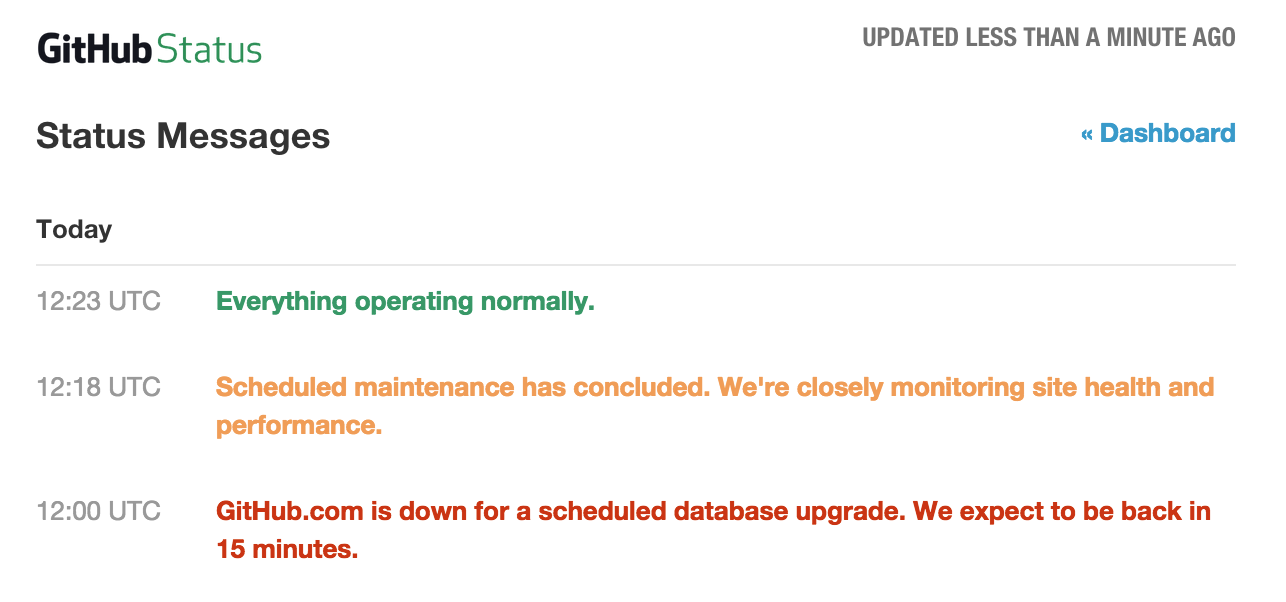
Yesterday GitHub was down for a DB upgrade, an outage that overall lasted for 23 minutes. This may not sound a problematic downtime at all, but when you think that nowadays GitHub is used not only for Software development worldwide as a Git server but as also as a source and binary packaging repository and distribution centre, a Markdown pages server and possibly much more … and you multiply by the number of users / repos hosted, then 23 minutes may translate in a significant disruption and, for some mission-critical business use-cases, even financial loss.

We never needed planned outages for DB upgrades on Gerrit Code Review used for a lot of other OpenSource projects (ranging from Android to Chromium): how the Gerrit team is managing to outperform GitHub? I asked Shawn Pearce to spend some time to describe how his team at Google managed to implement its roll-out strategy in the delivery pipeline going through tons of major DB upgrades with zero downtime worldwide.

He kindly responded on the Gerrit Code Review mailing list with this post, and we are very thankful for having shared his experience with us, hoping that GitHub guys will read this post and may learn from it for future GitHub DB upgrades.

I am reporting here Shawn’s post AS-IS, in order to maximise the audience and enable more people to access its content.

How googlesource.com manages database upgrades with no downtime (by Shawn Pearce)

In light of the recent GitHub database outage, Luca Milanesio asked me to describe how googlesource.com has managed nearly 3 years of database upgrades with zero downtime. So… here is an attempt. 🙂

tl;dr: protobuf, Bigtable, and multi-master.

Long version…

Bigtable … not SQL

Years ago we settled on using Google Bigtable as the backing database for googlesource.com instead of MySQL or PostgreSQL. This decision actually came about because of virtual hosting (see below), not because Google is any better at running Bigtable than MySQL or PostgreSQL (we run those well too).

Briefly, Bigtable is a NoSQL database that organizes data into tables of column families; read the Bigtable paper for an overview. Rows can contain irregular shapes of columns, and two rows in the same table do not need to have the same layout (columns).

To support Gerrit Code Review I hand-wrote a complete implementation of the ReviewDB interface and all of its sub interfaces to transport data between the application and Bigtable.

Data is stored in ~3 Bigtables:

Accounts: Accounts, AccountDiffPreferences, AccountExternalIds, …
Changes: Changes, PatchSets, PatchLineComments, …
SiteData: AccountGroups, AccountGroupByIds, …

We mash data for multiple ReviewDb tables into the same Bigtable by assigning the tables to different column families. Data for an Accounts row goes into the “Accounts.data” column family, while data for an AccountDiffPreferences row goes into the “AccountDiffPreferences.data” column family. E.g.:

row: 100151 # account_id
Accounts.data:
... data for account object ...

AccountsDiffPreferences.data:
... data for diff pref object ...

Our guiding principal for what goes where is based (mostly) on the primary key declaration. If Account.Id was first in the primary key, the row(s) go into the Accounts Bigtable. If Change.Id was first in the primary key, the row(s) go into the Changes Bigtable. This means the StarredChanges data is stored in the Accounts Bigtable, and PatchLineComments is in the Changes Bigtable.

Everything else that didn’t quite fit the Accounts or Changes pattern went into SiteData. AccountGroups for example are in SiteData.

To be honest, this is all arbitrary. I could have randomly assigned ReviewDb tables to Bigtables. Or put them all in a single Bigtable.

Creating new tables

New table creation is handled by pushing a new column family to Bigtable. This is an online operation that does not require changing any existing data. Internally column families are just unique tags written before the stored data. Adding a column family just assigns a new tag that has not been used yet.

Protobuf

The really important part of our online schema upgrade process is actually Google protobuf.

Bigtable doesn’t store structured data. Bigtable stores sequences of bytes in column families. Googlers get structure by storing encoded protobuf messages in column families. Protobuf encodes messages by writing a unique integer tag before each field. The tag allows readers to match data back up to the runtime object during decoding.

Protobuf gives us very critical features:

– Unknown fields are skipped (and ignored). If a field has been deleted from the model, but still exists in data records, the application code can safely skip over that data by reading the tag, recognizing its an unknown field, skipping its encoded bytes, and continuing onto the next field.

– Unknown fields are preserved. If a field is not recognized its encoded bytes are kept in memory. When the application makes changes to a message and writes the message back to the database table, the unknown fields are preserved and written back as-is.

– Fields can be missing. If a field is not present in the data, it simply has no tag present in the encoded message. The field is assumed to be its default value by the application.

Each database table in ReviewDb is described by its own protobuf message. The @Column() annotations in ReviewDb include the unique field numbers used by protobuf to tag data in encoded messages. You can see this schema by printing the protobuf schema out:

java -jar gerrit.war ProtoGen -o reviewdb.proto ; cat reviewdb.proto

In our Bigtable mapping the Gerrit application server encodes an Account object into a protobuf message, then writes the encoded protobuf to the Accounts.data column family. Reading from the database is merely the reverse process.

Column deletion

Columns can be removed from a table by removing its @Column annotation from the Java object. The field definitions will be omitted from the protobuf description. New application code that reads from the database table will skip over the (now unknown) field. During updates of a row the deleted/unknown field will be preserved and written back to the database table.

It is very important that the field number is never reused.

Nothing prunes the old fields from the Bigtable. Disk storage is cheap, disk IOs are not. Leaving the deleted data on disk is cheaper than scanning through every row and clipping out the deleted fields.

This is why we leave deleted fields commented out in source code, so future developers know not to reuse a field number.

Column addition

Columns can be trivially added to an existing table by assigning a new field number. When newer application code reads an old record it won’t find the new tags and will simply assume the default that is supplied in the protobuf description.

Unfortunately the defaults used in @Column annotations don’t always match with the real intended defaults. We have had to hack this at Google by applying a patch to every version of Gerrit for 2 fields:

- optional bool size_bar_in_change_table = 16;
+ optional bool size_bar_in_change_table = 16 [default = true];
optional bool legacycid_in_change_table = 17;
optional string review_category_strategy = 18;
- optional bool mute_common_path_prefixes = 19;
+ optional bool mute_common_path_prefixes = 19 [default = true];

The open source project chose to apply these defaults using Schema_NNN upgrade files that rewrite all existing accounts to set the fields true during init. We do not have that luxury and instead patch every release we make to assume the “correct” default if the field is not present in the stored data. This is why I lobby so hard against boolean columns being true by default via Schema_NNN upgrades. 🙂

Because of the unknown field properties described earlier, it is (usually) safe to run newer binaries alongside old binaries against the same database. A newer binary may store new fields to a row. The older binary will ignore these, but preserves the unknown field data during updates.

Of course cross-field semantics could be confused if we attempted this. We limit our risk by staying close to HEAD and try really, really hard to avoid cross-field semantic issues (e.g. anything like status and open in changes).

Column rename

We really don’t care about column renames. The column names themselves are not stored in Bigtable or in the encoded protobuf messages. Column names are only in the application software. A column name change is just a recompile, similar to a method name change.

What we cannot do is change field IDs. Once used in an @Column annotation, we are stuck with that ID number forever. 🙂

Virtual Hosting

googlesource.com implements virtual hosting for hundreds of Gerrit sites. All sites are combined together into the same 3 Bigtables by prefixing each row with the site name, for example:

row: gerrit:100151 # $site:$account_id
Accounts.data:
... data for account object ...

AccountsDiffPreferences.data:
... data for diff pref object ...

The application server itself is virtual hosted by running a javax.servlet.Filter in front of Gerrit. The filter extracts the host name from the HTTP Host header and stores it somewhere accessible by the hand-coded ReviewDb implementation. All database operations include the host name as part of the row keys being accessed.

It is this virtual hosting strategy that forced our hand and required such smooth online schema migrations.

When we update the binary, we update the binary for hundreds of “servers” at once. We can’t shutdown everyone for 200 * 5 minutes to upgrade 200 sites at 5 minutes each while we run a Schema_NNN process serially. We also don’t want to use 200 CPUs to update 200 sites in parallel during a global 5 minute downtime window, too much can go wrong, and there will always be straggling sites. Neither option appealed to us.

So smooth online migrations it was. 🙂

Multi-master hosting

We don’t run one Gerrit server. We run many Gerrit servers against the same Bigtables. Requests load-balance across this pool of servers, based on a number of factors that are out of scope for this particular article.

We use this multi-master hosting to help do online binary upgrades of Gerrit.

Given N servers where N >= 3:

1) we take one out of the load balancing rotation
2) wait for in-flight requests to finish
3) stop the process
4) install the new version
5) restart it
6) add it back to the rotation
7) goto 1

We size N such that N is larger than the number we actually need to handle traffic; this allows us to lose a server without impact to traffic to do the upgrade dance.

Linux operating system upgrades can be coordinated the same way, as the servers are on different machines.

Multi-data center hosting

Given multi-master hosting, we don’t put all of our servers in the same data center. We run them in multiple data centers and allow the load balancers to route across all of them.

This strategy allows us to perform data center level maintenance without service interruption by taking some servers out of the load balancing rotation before maintenance starts.

Sometimes data center level maintenance is power related; e.g. servers may need to be shutdown to repair a failed UPS. Other times its database related. I recently corrupted a database replica in one data center by accident. I “shutdown” our servers in that data center while I manually restored a known good database. Nobody except my team at Google knew about my mistake, or the impact.

Once you are multi-data center, cross-site database consistency becomes an issue. Frankly we just reuse Google Megastore to get cross data center consistency based on a high quality Paxos implementation. Each of our data centers has a full copy of the database local to it and Paxos is used to ensure the application has a consistent view.

And by this point, you are probably wishing you had stopped at the tl;dr … 🙂

GitHub fully operational again

GitHub.outage.finished

GitHub outage latest for around 23 minutes and now the site has resumed normal stable operations.

GerritHub.io and his users have not been impacted by the GitHub outage, everything went smoothly and the cache TTL extension avoided any negative effects on our systems. Replication to GitHub resumed smoothly without any misalignment caused by the the outage.

Will this be the last GitHub outage? Have they learned how to implement effectively DB roll-outs with Continuous Delivery practices?

It would be very interesting if Shawn Pearce could put together a presentation on how Continuous Delivery is achieved for Gerrit Code Review at Google, avoiding downtime even during DB upgrades and roll-outs. Possibly GitHub could be inspired by us 🙂

GitHub outage started … hopefully won’t be long :-)

GitHub.outage.startedAs previously announced,  GitHub service outage has officially started.

GerritHub.io is available as usual and sign-in is working, thanks to the an extended cache TTL set to 2 days. If you have signed in over the past two days, your cookie will still be valid and your group ownership / permissions are cached on our systems.

Please remember that some of the other non-cacheable services won’t be available:

  • Sign-Up for a new GerritHub.io account
  • Import of a GitHub profile
  • Import of a GitHub repository or pull request
  • Replication to GitHub

You can still use the Gerrit Code Review functionalities as normal, including review Web GUI and git push/pull over SSH or HTTPS.

Once GitHub will be back on-line, we will reschedule an extra maintenance replication to make sure that all Gerrit changes are replicated back to GitHub.

Thank you for your patience and in case of any issue please report to https://gerritforge.com/support.

GitHub Scheduled Maintenance – Saturday 3/21/2015 @ 12:00 UTC

GitHub.scheduled.maintenance

GitHub planned outage

GitHub announced a scheduled downtime of its API starting from this forthcoming Saturday, 21st of March 2015 from 12PM UTC … I have to say that this is really the first time and I am quite surprised. I have always considered GitHub as one of the best examples of continuous deployment and feedback, allowing the transparent roll-out of dozen of changes every week; however sometimes even “The Rich Also Cry”.

What are the implications of this outage for GerritHub.io?

GerritHub.io uses the GitHub API for the following operations:

  • Sign-Up and Sign-In to Gerrit Code Review GUI
  • Import user profile, repositories and pull requests
  • Gerrit groups lookup
  • Replication using GitHub OAuth

As all the GitHub API would return 503 (Service Unavailable) the basic Gerrit Code Review functionalities could be eventually impacted.

How can we minimise the impact?

We will be rolling out longer cache TTL and cookie expiry times on Friday 20th of March on Gerrit Code Review, allowing to keep existing sessions for a much longer time up to 2 days validity. Similarly the Group and Accounts caches TTL will be extended in order to fill the GitHub API blackout.

And what about replication?

Whilst we can minimise the impact on Gerrit Code Review which is under our control, we can do little about GitHub availability: the commits pushed to GerritHub.io will be “parked” until GitHub services will be resumed again.

They will still be accessible to your Team but only through the GerritHub.io clone URLs.

What should I do when GitHub services will be resumed?

GitHub has not notified yet the length of his maintenance window but you will be able to receive notifications on its status on https://status.github.com and we will notify the progress and the impact on our services on https://gitenterprise.me, Twitter @gitenterprise and Facebook on https://facebook.com/gitenterprise.

Once the GitHub services will be back and fully operational, we do suggest to sign-in and verify the replication status of your repositories to GitHub, checking the SHA-1 of your branches on GerritHub.io against the corresponding ones on GitHub.

Example on how check the replication status of myorg/myrepo:

$ git ls-remote https://review.gerrithub.io/myorg/myrepo | \
  egrep -e "(heads|tags)" | awk '{print $2"\t"$1}' | \
  sort > /tmp/myrepo.gerrit
$ git ls-remote https://github.com/myorg/myrepo | \
  egrep -e "(heads|tags)" | awk '{print $2"\t"$1}' | \
  sort > /tmp/myrepo.github
$ diff /tmp/myrepo.gerrit /tmp/myrepo.github

What should I do to resync the repositories?

First of all you need to establish which one is the “source of truth”. If you have been using GerritHub.io as main code review, then the answer is always review.gerrithub.io.
In order to resync your GitHub repository, you just need to manually pull from review.gerrithub.io and push to github.com.

Example on how to resync myorg/myrepo:

$ git clone --mirror https://review.gerrithub.io/myorg/myrepo 
$ cd myrepo.git
$ git push --all --tags https://github.com/myorg/myrepo

What should I do if the push to GitHub fails?

There is not a unique answer to this question: if the push fails it means that your GerritHub.io and GitHub.com repositories started diverging. This happens when people pushes directly to GitHub without going any Code Review, which is potentially possible if you have left the permissions doors wide opened on GitHub.

My suggestion is always to check what is in GitHub that has not gone through Gerrit Code Review and, if possible and does not create conflicts, pull that set of commits into your GerritHub.io repository.

Example of pulling changes from a GitHub branch (e.g. mybranch) that are not contained in GerritHub.io:

$ git clone https://review.gerrithub.io/myorg/myrepo 
$ cd myrepo && git checkout mybranch
$ git pull https://github.com/myorg/myrepo mybranch
$ git push origin mybranch

Questions? Doubts? Problems?

If you have any questions or you need any assistance during the outage because you are experiencing problems, feel free to contact our customer support at https://gerritforge.com/support or tweet us at @gitenterprise.

Alternatively for any Gerrit-related problems, the best free source of information is always the Gerrit mailing list at https://groups.google.com/forum/#!forum/repo-discuss.